
Gym Selfie
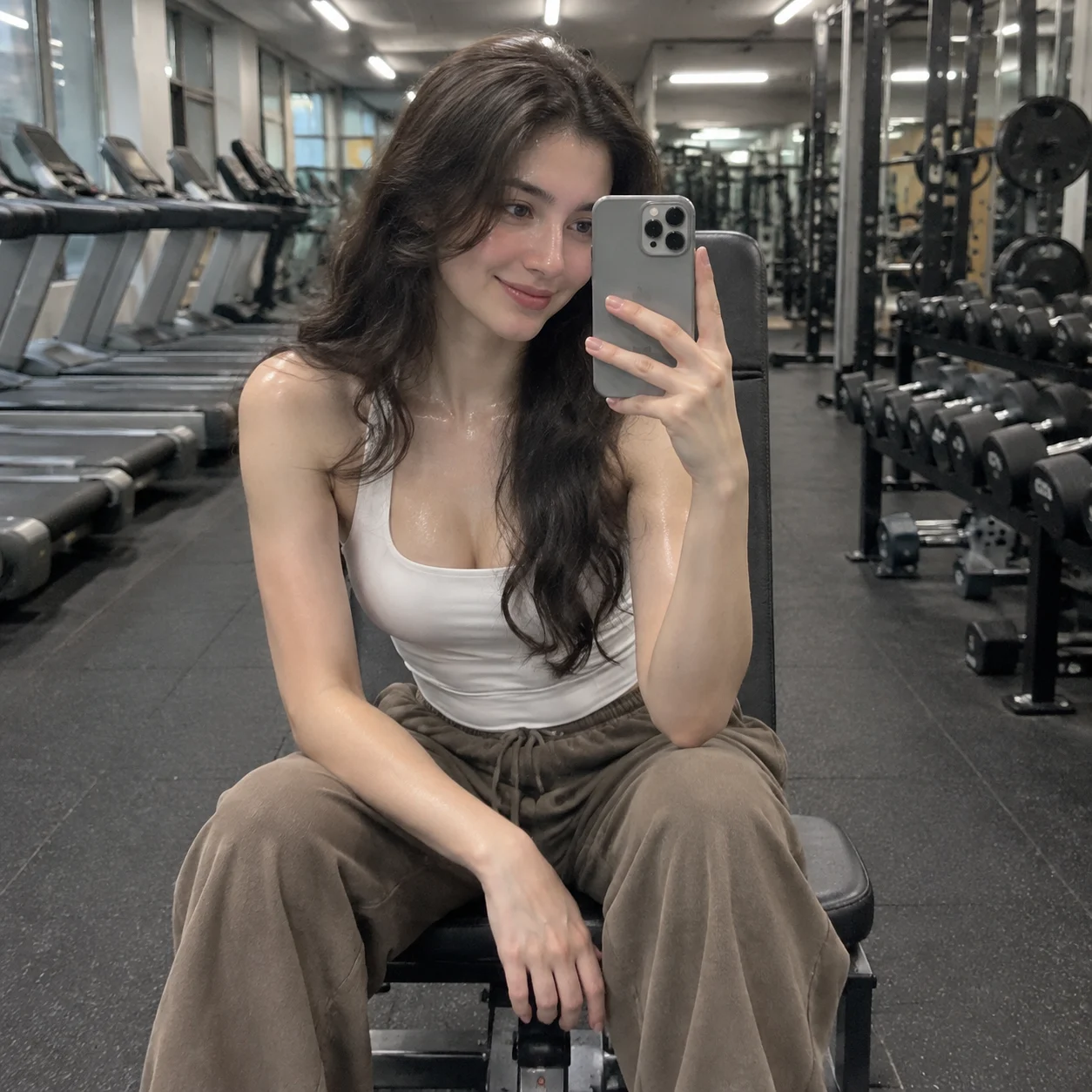
Camera Create a realistic vertical gym mirror selfie from a first-person reflected viewpoint. Keep the subject sharply focused and the gym equipment slightly soft in the background…
Complete prompt
Camera Create a realistic vertical gym mirror selfie from a first-person reflected viewpoint. Keep the subject sharply focused and the gym equipment slightly soft in the background. Make the phone, hands, and mirror reflection physically consistent, with natural body proportions. Scene A modern gym or fitness center. Show a row of gray commercial treadmills in the left background and a dumbbell rack with weight plates on the right. Gym equipment should appear with accurate, consistent mirror reflections. The subject sits on a workout bench over black rubber gym flooring, under realistic overhead gym lights. Subject A young adult woman with light skin and long, dark, wavy hair. She has a natural post-workout sheen of sweat. She wears a white tailored sleeveless vest or top with loose beige or brown athletic pants. Action She sits on the gym bench and leans slightly forward, holding an iPhone Pro model with a gray case in her left hand. She looks at the phone screen with a subtle, natural smile. Keep the selfie pose relaxed, with fingers naturally gripping the phone. The reflection must match her real pose exactly, with no duplicated phone or hands. Lighting / Color Use overhead gym lighting to render natural skin sheen, clothing texture, and equipment surfaces. Keep indoor colors neutral and realistic. The subject is crisp while the background is slightly softened, with an authentic social-media fitness-selfie aesthetic. Negative Prompt Incorrect mirror reflection, reflection pose mismatch, duplicated phone, duplicate arms, malformed fingers, wrong phone model or case color, distorted body proportions, stiff pose, excessive retouching, plastic-looking skin, excessive sweat, cluttered gym equipment, deformed equipment, excessive blur, text, watermark, extra logo.
Results vary by model and settings. Keep the subject and composition, then adjust lighting, materials or background for your own project.
How to customize this prompt in the workspace
- 01
Replace the main subject first
Keep the framing, camera angle, and lighting structure intact while swapping the subject or product description for your own project.
- 02
Lock structure with reference images
Need consistent product geometry, packaging silhouette, or character features? Upload 1 or more reference images with a supported model.
- 03
Refine details via multi-turn editing
Generate a base image first, then use conversational editing to adjust background color, surface reflections, or mood one step at a time.



