
Oversized Plush Character Hat
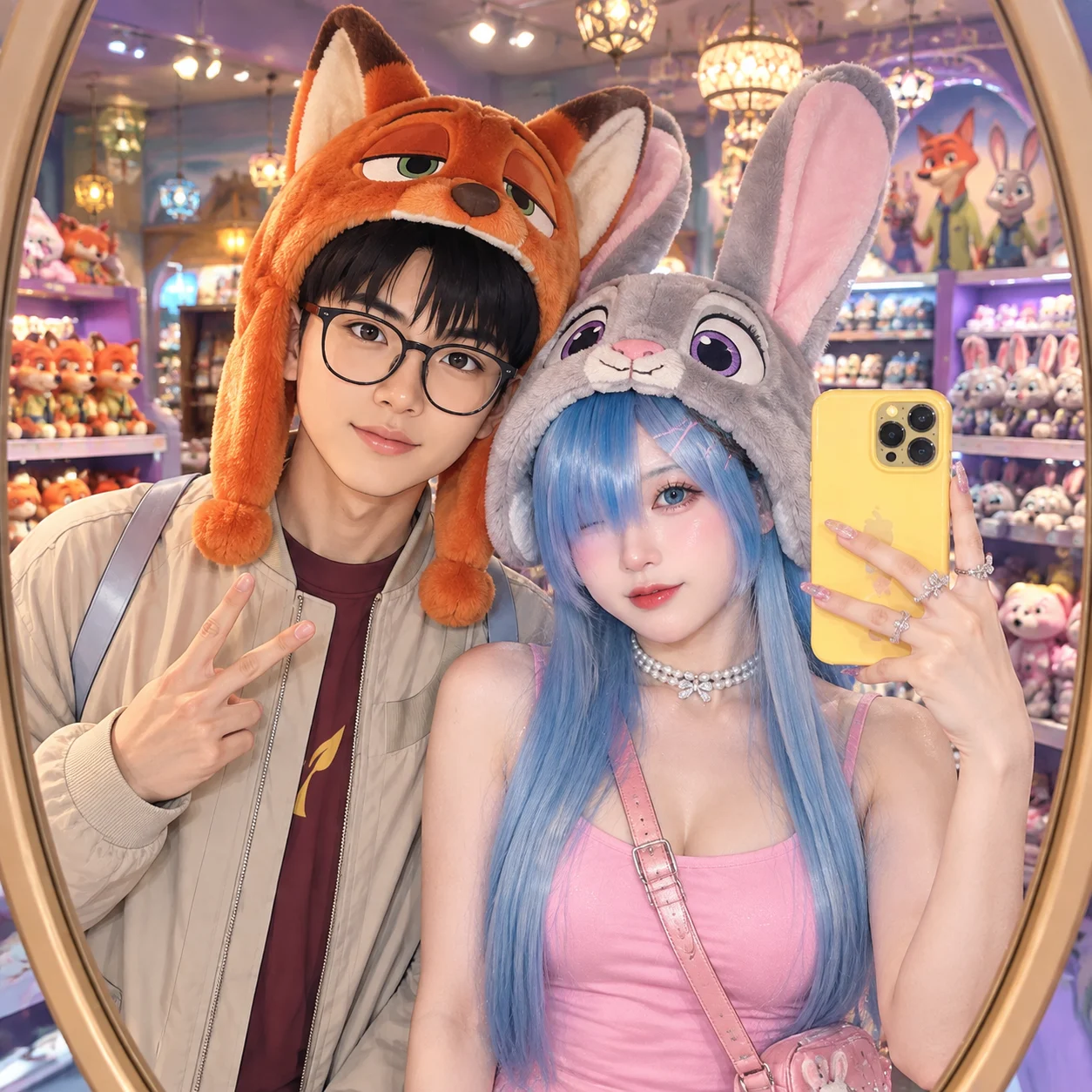
Complete prompt
Camera Use Photo 1 and Photo 2 as the only identity references: Photo 1 is the man on the left, and Photo 2 is the woman on the right. Create an iPhone 15 Pro Max mirror selfie in vertical 4:5 format. An oval full-length mirror frames both upper bodies and the phone reflection. The phone faces the mirror; both subjects stand about one arm’s length from it. Keep faces, hats, hands, and the yellow phone sharply focused while preserving their real facial features, hairstyles, skin tones, and identities. Scene Inside a Disney toy store in front of an oval floor mirror, with frosted shelves full of toys, festive mall lighting, and decorative ceiling chandeliers. Create a bright, playful, cinematic Zootopia fan aesthetic with realistic photography and natural depth. Subject The man on the left wears the exact clothing and hairstyle from Photo 1, plus a large orange Nick Wilde plush hat with fox ears and sly eyes. The woman on the right preserves the exact identity from Photo 2: long straight hair, a bright pink backless top, fitted pearl necklace, and multiple rings. She wears a large gray Judy Hopps plush hat with long pink rabbit ears and purple eyes. Her makeup includes glass skin, soft blush, black eyeliner, blue-gray contacts, and a pink-to-rose gradient lip. Action Both people stand side by side, facing the mirror. The man stands slightly behind and left of the woman, angled gently toward her; his head is close to hers but does not rest on her shoulder. His left hand makes a peace sign in front of his own chest, with his elbow naturally lowered. The woman stands in the right foreground with both feet planted and stable. Her shoulder only lightly touches the man; she does not lean backward or rely on him for support. She holds the bright yellow iPhone in her right hand. Her right upper arm stays naturally close to her right ribs, her right elbow bends at about 90 degrees, and her forearm rises slightly forward toward the mirror. The phone is held vertically 15–20 cm outside the right side of her face, slightly above eye level, with rear cameras facing the mirror and the screen facing her. Her left arm hangs naturally or lightly holds her own bag strap; it does not help hold the phone. She gives a subtle wink and turns her head slightly toward the mirror. Phone, wrist, elbow, shoulder, neck, body balance, and mirror reflection must be anatomically and geometrically correct. Lighting / Color Use soft commercial mall lighting mixed with festive chandelier illumination. Keep orange, gray, pink, yellow, and purple vivid but natural. Show individual plush fibers, realistic fabric, pearl luster, metallic nail polish, and authentic skin detail. Bright, clean, noise-free, advertising-grade sharpness, ultra-realistic 8K. Negative Prompt Impossible phone-holding pose, floating phone, floating arm, reversed shoulder or elbow joint, twisted wrist, unstable body balance, woman leaning backward while holding the phone, arm passing through body, phone covering the entire face, incorrect mirror reflection, reversed reflection direction, identity mix-up, swapped Photo 1 and Photo 2 features, extra people, duplicate people, malformed fingers, extra fingers, fused rings, hats covering eyes, deformed rabbit or fox ears, plastic plush, excessive retouching, waxy skin, blur, low detail, text, watermark, brand logo, non-selfie composition.
Results vary by model and settings. Keep the subject and composition, then adjust lighting, materials or background for your own project.
Brand and character names in the original prompt are visual references for studying this example. This is an independent example, with no affiliation or endorsement implied. Replace them with material you have permission to use for your own project.
How to customize this prompt in the workspace
- 01
Replace the main subject first
Keep the framing, camera angle, and lighting structure intact while swapping the subject or product description for your own project.
- 02
Lock structure with reference images
Need consistent product geometry, packaging silhouette, or character features? Upload 1 or more reference images with a supported model.
- 03
Refine details via multi-turn editing
Generate a base image first, then use conversational editing to adjust background color, surface reflections, or mood one step at a time.



