
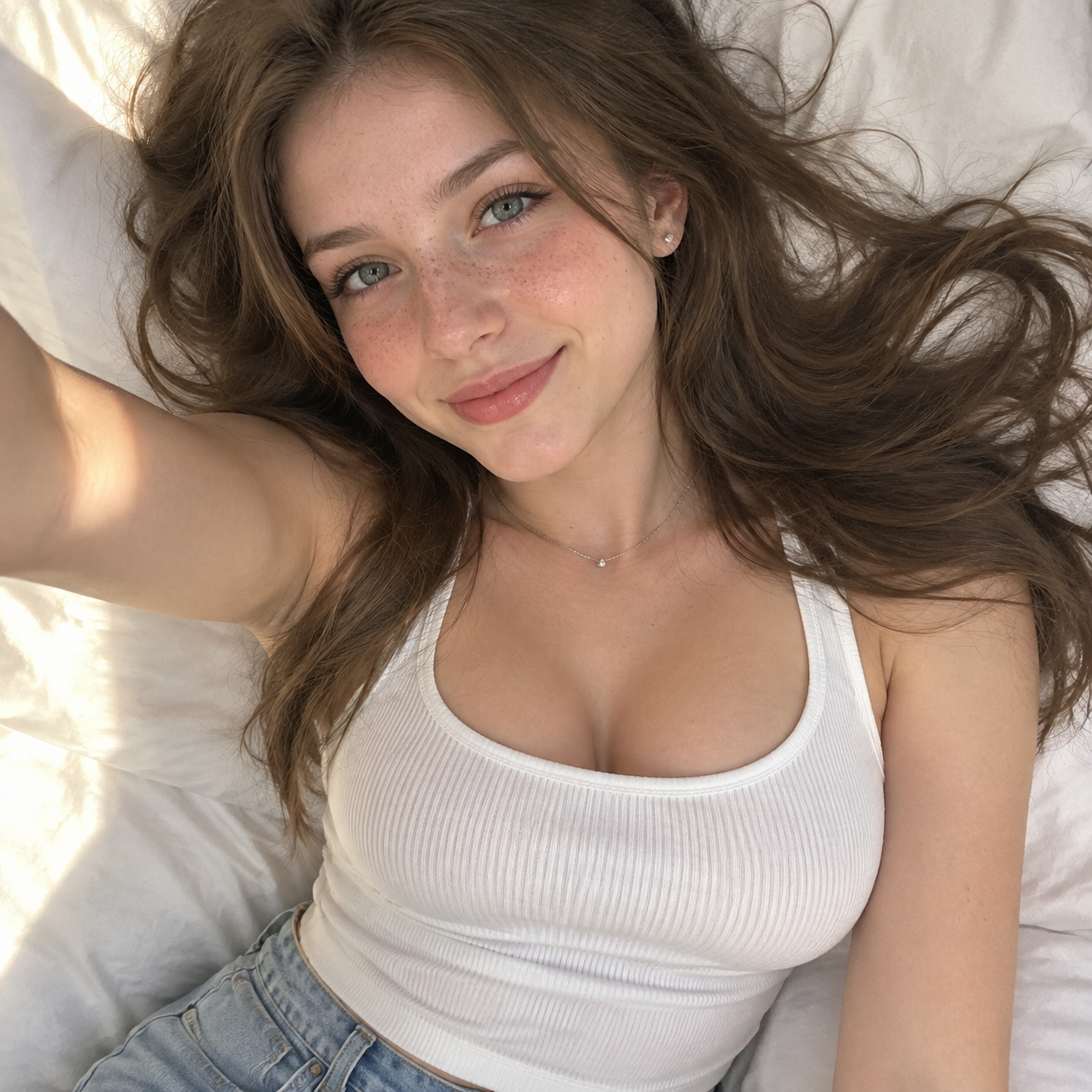
Reclining Selfie with an Arm Raised
mood: warm; relaxed; comfortable; natural; subject: eyes: color: light blue or green; makeup: subtle eyeliner; gaze: looking toward the camera; hair: color: medium brown; style: lo…
Complete prompt
mood: warm; relaxed; comfortable; natural; subject: eyes: color: light blue or green; makeup: subtle eyeliner; gaze: looking toward the camera; hair: color: medium brown; style: loose; spread out on the pillow around her head; length: long; pose: lying on her back; taking a selfie with her right arm extended upward; type: young woman; expression: soft smile; relaxed and natural; skin_details: freckles: visible on nose and cheeks; complexion: smooth; warm; sunlit glow; clothing: top: fit: form-fitting; type: ribbed tank top; color: white; neckline: scoop neck; bottoms: type: jeans; color: light blue; visibility: partially visible; accessories: earrings: small studs; necklace: thin; minimal chain; lighting: type: natural sunlight; effect: creates warm highlights and soft shadows on face and torso; direction: coming from upper left of frame; composition: focus: sharp on face and upper body; colors: warm skin tones; white bedding; brown hair; neutral background; framing: close-up of face; upper torso; and part of jeans; camera_angle: top-down selfie angle; environment: bedding: pillow: white; sheets: white; location: bed or soft resting surface; background: neutral wall and edge of headboard or furniture barely visible
Results vary by model and settings. Keep the subject and composition, then adjust lighting, materials or background for your own project.
How to customize this prompt in the workspace
- 01
Replace the main subject first
Keep the framing, camera angle, and lighting structure intact while swapping the subject or product description for your own project.
- 02
Lock structure with reference images
Need consistent product geometry, packaging silhouette, or character features? Upload 1 or more reference images with a supported model.
- 03
Refine details via multi-turn editing
Generate a base image first, then use conversational editing to adjust background color, surface reflections, or mood one step at a time.



