
Lingerie Livestream Showcase
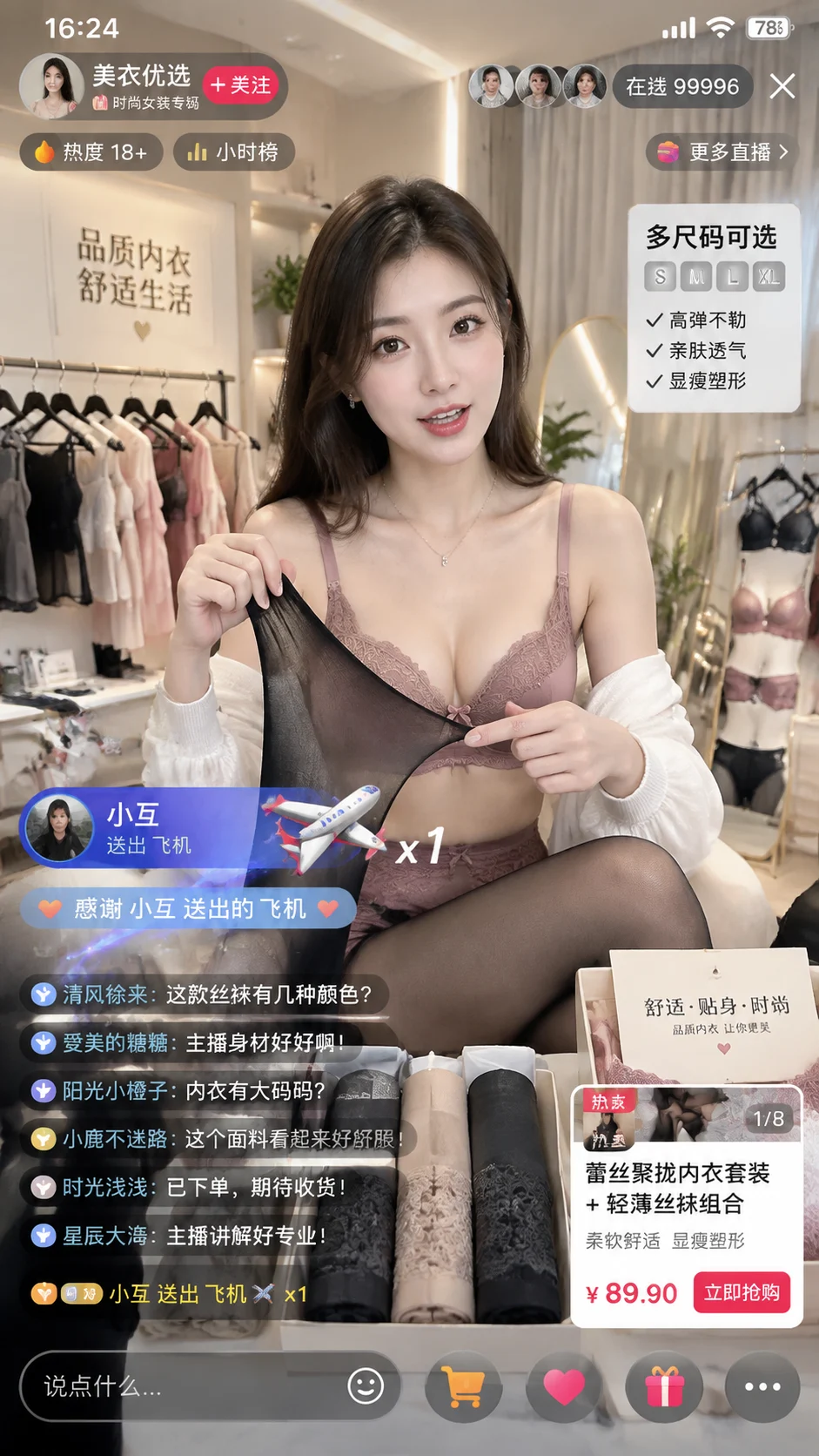
Shot: Generate a real screenshot of a Douyin live streaming room on a mobile device, in portrait mode with a ratio of 9:16; fully display the live streaming scene, the top status b…
Complete prompt
Shot: Generate a real screenshot of a Douyin live streaming room on a mobile device, in portrait mode with a ratio of 9:16; fully display the live streaming scene, the top status bar, the number of viewers, the popularity, the comment area, the gift animation and the product information bar. The interface text must be clear, accurate and legible. Scene: A bright and tidy e-commerce live streaming room, with clothing display racks, soft light strips, full-length mirrors and product display areas; the overall look is like a real Douyin fashion e-commerce live stream, without posters or promotional flyers. Person: A beautiful female host, naturally explaining the product to the camera; the makeup is exquisite but realistic, the posture is confident, friendly and professional. Wearing a decent fashion stocking and underwear display set, the focus is on the fabric, elasticity, covering effect and matching. Action: The host is live-streaming trying on and showing the visual effect of the stockings and underwear, one hand gently pulling the display fabric of the stockings, the other hand pointing at the product details or size information; nearby are the products for sale, packaging boxes and price cards. The "Number of Viewers 99996" and "Popularity 18+" are clearly displayed in the top or upper right corner. Interactions from the audience appear in the comment area; the gift animation shows user "Xiao Hui" sending a "Plane" gift, with a plane icon, floating animation and a thank-you prompt. Lighting: Soft and bright live streaming fill lights, natural skin tone, clear textures of the product fabric, lace, elasticity and packaging details; moderate high-saturation fashionable colors, the texture of the real mobile live streaming picture, clear layers of UI cards, buttons, comments and gift animations. Negative prompt words: incorrect number of viewers, incorrect popularity text, incorrect username "Xiao Hui", missing plane gift, garbled text, deformed hand, extra fingers, interface misalignment, excessive retouching, low clarity, blur, watermark or irrelevant brand.
Results vary by model and settings. Keep the subject and composition, then adjust lighting, materials or background for your own project.
How to customize this prompt in the workspace
- 01
Replace the main subject first
Keep the framing, camera angle, and lighting structure intact while swapping the subject or product description for your own project.
- 02
Lock structure with reference images
Need consistent product geometry, packaging silhouette, or character features? Upload 1 or more reference images with a supported model.
- 03
Refine details via multi-turn editing
Generate a base image first, then use conversational editing to adjust background color, surface reflections, or mood one step at a time.



