
Rental Makeover Guide Cover
Camera Create one 3:4 vertical Xiaohongshu home-design cover with a high-information editorial layout. The top third contains two oversized headline lines; the middle and lower-rig…
Complete prompt
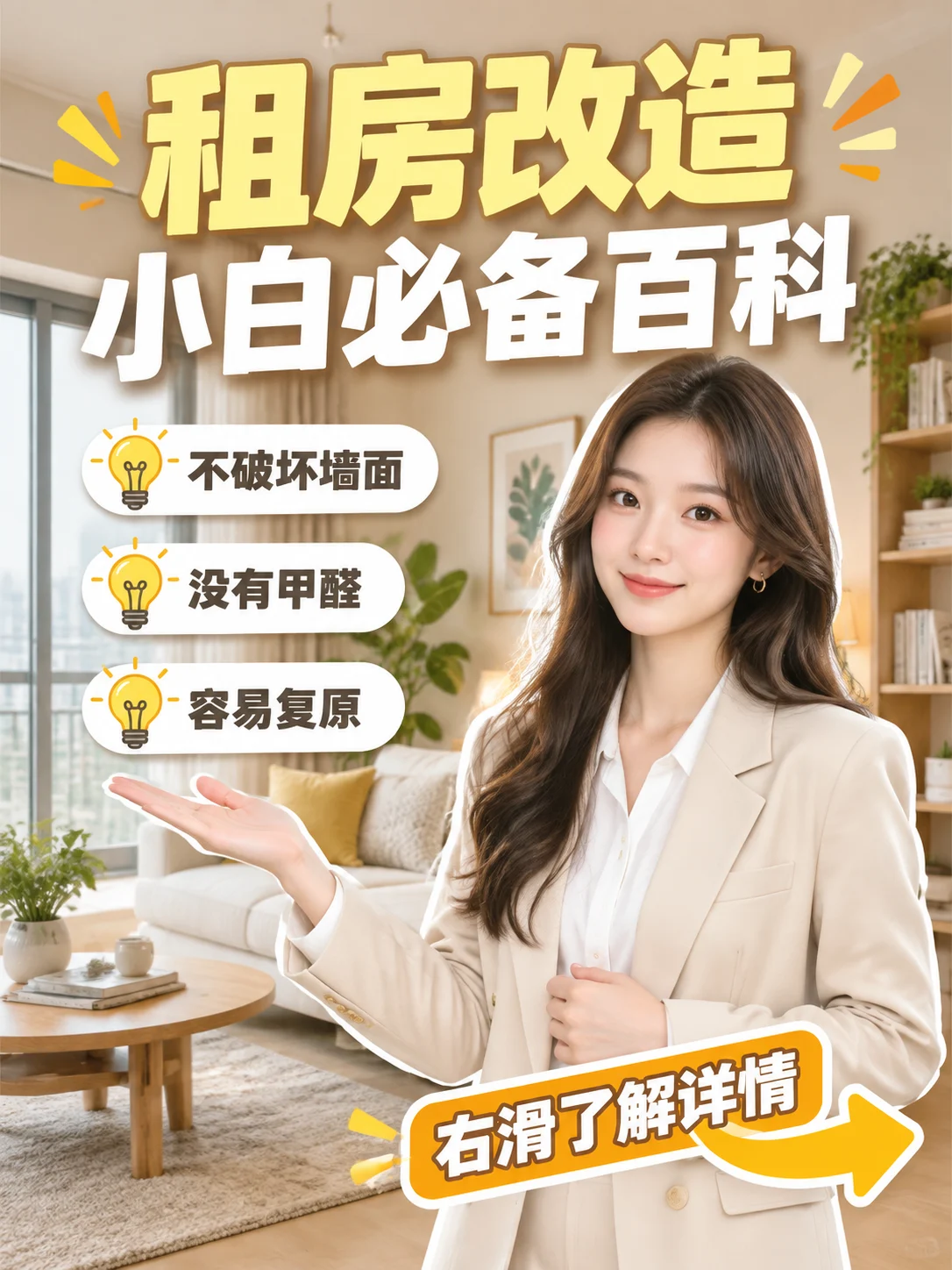
Camera Create one 3:4 vertical Xiaohongshu home-design cover with a high-information editorial layout. The top third contains two oversized headline lines; the middle and lower-right contain a 20-year-old high-end designer-like woman; three checklist cards sit on the middle-left; the bottom contains a curved arrow and supporting prompt. Keep hierarchy clear and readable on mobile, with generous safe margins. Scene A bright, cozy modern rental-apartment living room with ivory walls, a large window, pale curtains, a beige sofa, wooden coffee table, plant, wall cabinet, and restrained decorative art. The background is realistic but slightly softened, showing an ordinary rental space that can be upgraded while retaining a polished interior atmosphere. Subject A 20-year-old Asian female high-end interior designer with long dark-brown softly wavy hair, refined features, realistic skin texture, and a professional, fresh, confident presence. She wears a sharply tailored cream or pale-beige blazer over a white shirt, creating a young but premium designer look. Add a clean white outline or subtle cutout treatment around her silhouette to separate her from the room. Action Place her from the middle-right to lower-right, facing the camera with a natural smile. One hand makes an open presentation gesture toward the checklist on the left; the other rests lightly near her chest or waist. Keep her face unobstructed and the gesture believable. Place three white rounded checklist cards on the left, each with a yellow lightbulb icon and exact Chinese text: “不破坏墙面” “没有甲醛” “容易复原” Top section arranged in two distinct lines of large headings: First line: "租房改造" displayed in bold, light yellow text using the largest font size; Second line: "小白必备百科" slightly smaller in size, in bold white text. The two lines must remain separate, unmerged, and without altered wording or garbled characters. Add a few geometric decorative symbols in yellow and orange near the title. At the bottom, place a prominent slanted label or dialog box clearly stating "右滑了解详情" with a thick white outline and a curved arrow pointing to the right. Lighting / Color Use bright, soft indoor daylight. Build the palette from warm ivory, pale brown, and wood tones, with pale yellow for headline emphasis, lightbulb icons, and accents. Keep her face bright and natural and preserve realistic furniture and textile texture. The overall cover feels approachable, professional, useful, and native to Xiaohongshu interior-design content. Negative Prompt Horizontal format, missing headline, incorrect text, headline not split into two lines, weak font hierarchy, tiny subject, person covering the title, missing or misspelled checklist items, “租房改造” not large enough, missing “小白必备百科”, missing or cropped “右滑了解详情”, age inconsistent with a high-end designer presence, deformed face, incorrect hair, malformed fingers, extra limbs, overly thick outline, cluttered background, crowded furniture, overly cartoonish rendering, garbled text, mirrored text, watermark, logo, screenshot UI buttons.
Results vary by model and settings. Keep the subject and composition, then adjust lighting, materials or background for your own project.
How to customize this prompt in the workspace
- 01
Replace the main subject first
Keep the framing, camera angle, and lighting structure intact while swapping the subject or product description for your own project.
- 02
Lock structure with reference images
Need consistent product geometry, packaging silhouette, or character features? Upload 1 or more reference images with a supported model.
- 03
Refine details via multi-turn editing
Generate a base image first, then use conversational editing to adjust background color, surface reflections, or mood one step at a time.



