
Coral Knitwear CCD Lifestyle Portrait
Photography style: Daytime clear high-light CCD lifestyle photo style Photo direction: Urban commuting life photo Scene direction: Modern commercial complex sky corridor / transpar…
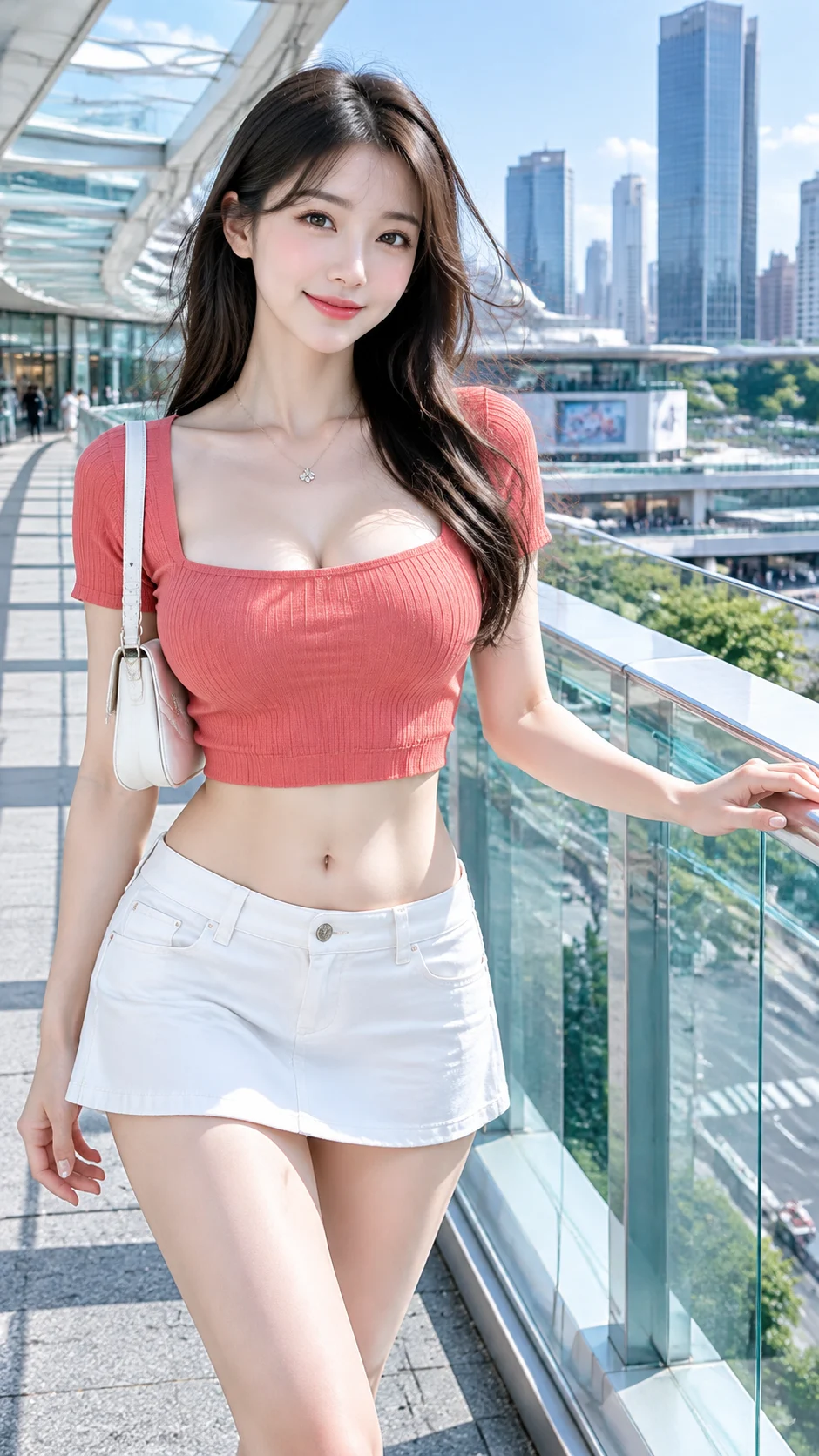
Complete prompt
Photography style: Daytime clear high-light CCD lifestyle photo style Photo direction: Urban commuting life photo Scene direction: Modern commercial complex sky corridor / transparent glass railing / silver-white structure / blue sky and city buildings Clothing direction: Coral red slim-fit square-neck cropped knit top + cold white low-rise A-line mini skirt Temperament labels: Bright, fashionable, refreshing, exquisite, light mature Facial features direction: Clear exquisite natural face Body shape direction: Light and slender Line emphasis: Strong Lens direction: Thigh and upper body Posture and action: Walking slowly along the glass corridor, body turned sideways to the camera, one hand lightly touching the glass railing, smiling naturally towards the camera Light and atmosphere: Sunny high-brightness natural light + glass railing and silver-white structure forming neutral reflective fill light Filter effect: High-brightness clear red-white CCD color + clean white skin + bright mid-tones + stable black levels + light grain Aspect ratio: 9:16 Supplementary requirements: Character skin is fair and transparent; coral red is high brightness but not fluorescent; cropped top reveals waist and belly button, square neck naturally expresses shoulders, neck, collarbones and chest line; overall clear and bright, not gray or foggy
Results vary by model and settings. Keep the subject and composition, then adjust lighting, materials or background for your own project.
How to customize this prompt in the workspace
- 01
Replace the main subject first
Keep the framing, camera angle, and lighting structure intact while swapping the subject or product description for your own project.
- 02
Lock structure with reference images
Need consistent product geometry, packaging silhouette, or character features? Upload 1 or more reference images with a supported model.
- 03
Refine details via multi-turn editing
Generate a base image first, then use conversational editing to adjust background color, surface reflections, or mood one step at a time.



