
Cosplay Studio Composition by Camera Distance
Shot: The above picture is the sole reference for the character's identity, face, posture, and cosplay style. The final composition strictly prioritizes "[Target景别]" and "[Camera-t…
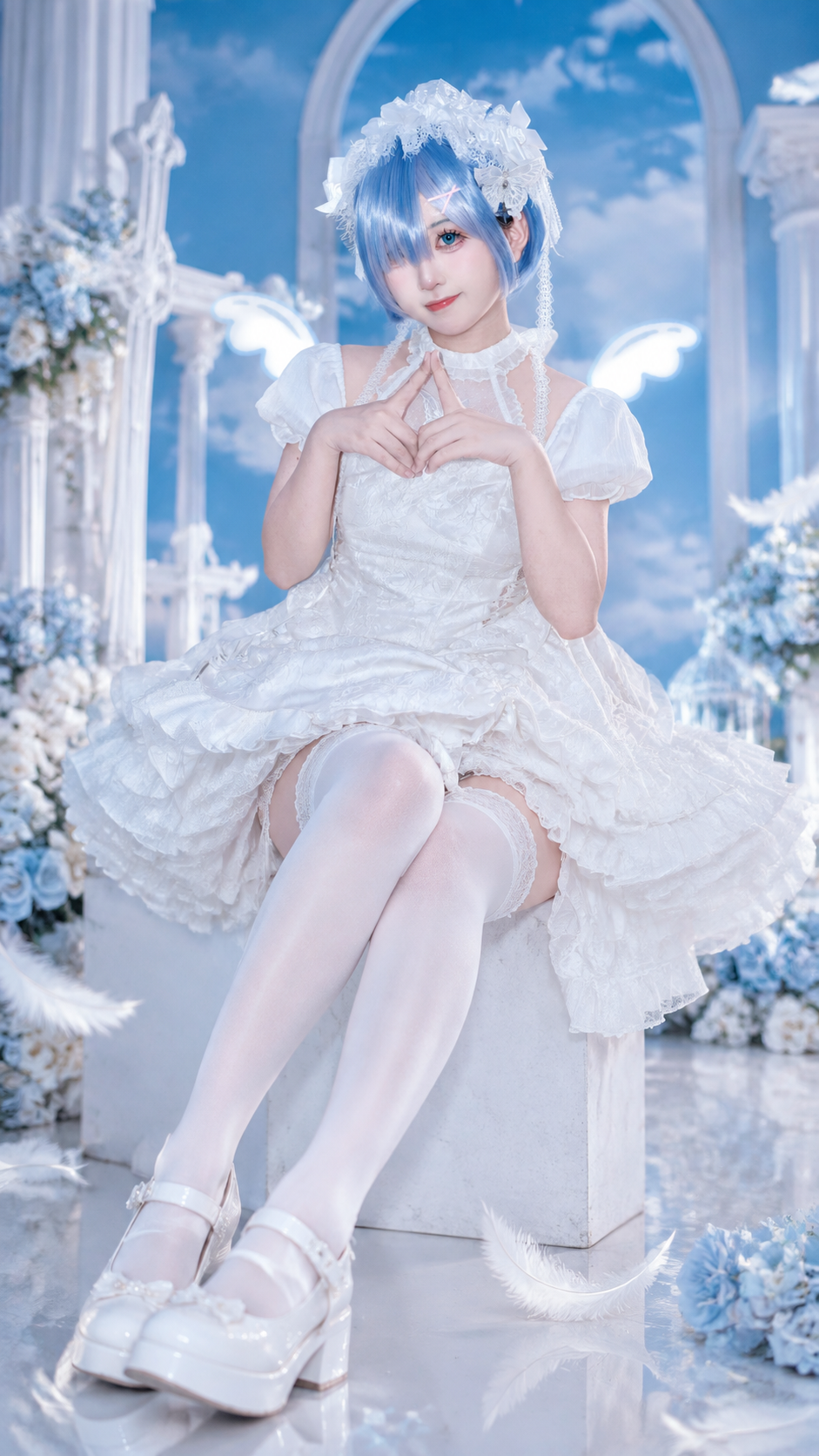
Complete prompt
Shot: The above picture is the sole reference for the character's identity, face, posture, and cosplay style. The final composition strictly prioritizes "[Target景别]" and "[Camera-to-character distance]" as the highest priority; fixed "[Target focal length] mm portrait photography style", "[Target shooting position]" perspective, and vertical aspect ratio. "[Target景别]" must be a specific value, such as close-up of the face, full-body portrait, half-body, two-thirds body, three-quarters body, or full body; "[Target distance]" must be a specific value, such as 1.5 meters, 2 meters, 3 meters, or 4 meters. It is allowed to naturally crop, reconfigure the image, or extend beyond the original image boundaries for matching the target scene and distance, while ensuring there is approximately [6% / 8% / 10%] of clean white space from the top of the character's head to the upper edge of the image, and the character must not cover the top edge or fill the entire image. Scene: Only replace the surrounding environment of the character with "[Studio theme]" for professional cosplay portrait photography studio settings. The effective shooting area size is fixed at: studio width 4.5 meters, studio depth 5 meters, studio height 3.2 meters; the character is fixed 1.2 meters away from the background. Based on the target scene, target distance, and target focal length, generate a truly consistent background perspective, prop scale, background visibility range, and depth of field. Use close-up theme background boards, seamless backgrounds, physical partial props, and props with matching themes, and keep the character as the visual subject. The background blur intensity is [slight / medium / significant]; only present the necessary background, ground, and limited theme decorations for the current shot, without showing the complete studio boundaries, distant walls, open areas, top ceilings, or large stages. All lights, diffuser boxes, stands, reflectors, cables, and photography equipment must be outside the frame. Character: Strictly lock onto the identity and appearance of the model in the uploaded picture. The content of the original picture that is already visible must be completely retained and cannot be changed: face, facial features, skin color, hairstyle, makeup, expression, body proportion, visible posture, gestures, clothing, accessories, cosplay style, props, clothing folds, and visible details must not be redrawn, replaced, beautified, or modified. If the target scene requires showing areas outside the original picture, only complete the invisible parts of the same character from the original picture boundary outward continuously; the completed area must be strictly consistent with the visible body posture, clothing structure, material texture, fold direction, prop position, and character proportion. Action: Strictly retain the character's action intention, gaze, head angle, body orientation, gestures, and prop relationship in the uploaded picture. For closer target scenes, only naturally crop the image without changing the existing posture of the character; for farther target scenes, only complete the necessary external body area for the same posture. Do not reposition the character, change the center of gravity, change the hand position, change the sitting or standing posture, or generate additional characters, additional limbs, repeated hands and feet, or discontinuous clothing. Lighting and Color: Fixed professional cosplay studio lighting. The large softbox at 45 degrees to the right is the main light, the low-intensity soft light on the left front is the supplementary light, and the restraint contour light on the left rear; all lights are outside the frame. The color temperature is fixed at neutral white 5200K, and the theme color only acts on the background, ground, and weak environmental reflections, without contaminating the skin tone. Based on the target scene and target distance, match the depth of field: close-up makes the background softer and moves back, distant shots make the character, ground, and theme scenery perspective real and coherent. The light, reflection, and ground contact shadows of the newly generated area must be naturally consistent with the light direction of the original picture character. Negative keywords: Ignore the target shot size, ignore the target camera distance, incorrect composition, incorrect proportion of the person in the frame, person's top edge, no blank space above the head, incorrect background perspective, incorrect depth of field, incorrect studio scale, incorrect floor height, incorrect background depth, exaggerated wide-angle space, overly empty studio, exhibition hall, stage, distant wall, visible ceiling, visible complete studio boundary, excessive wide-angle distortion; Change the visible content of the original figure in the picture, change the person's identity, change the face, facial features, skin color, hairstyle, makeup, expression, posture, gesture, clothing, accessories, cosplay style, props, clothing creases or body proportions; Additional characters, additional limbs, repeated hands and feet, deformed fingers, deformed feet, discontinuous clothing, edges of the figure in the photo; Visible photography lights, soft light box, octagonal cover, light stand, reflector, cables, photography equipment; Empty studio, huge stage, theme elements blocking the person; Light direction conflict, inconsistent ground projection, overexposed face, blurred face, watermark, text, Logo.
Results vary by model and settings. Keep the subject and composition, then adjust lighting, materials or background for your own project.
How to customize this prompt in the workspace
- 01
Replace the main subject first
Keep the framing, camera angle, and lighting structure intact while swapping the subject or product description for your own project.
- 02
Lock structure with reference images
Need consistent product geometry, packaging silhouette, or character features? Upload 1 or more reference images with a supported model.
- 03
Refine details via multi-turn editing
Generate a base image first, then use conversational editing to adjust background color, surface reflections, or mood one step at a time.



