
Cosplay Studio Background and Lighting Replacement
Shot: With the above picture as the sole reference for the character, strictly retain the model's identity, face, posture, clothing, and the original character perspective. Use the…
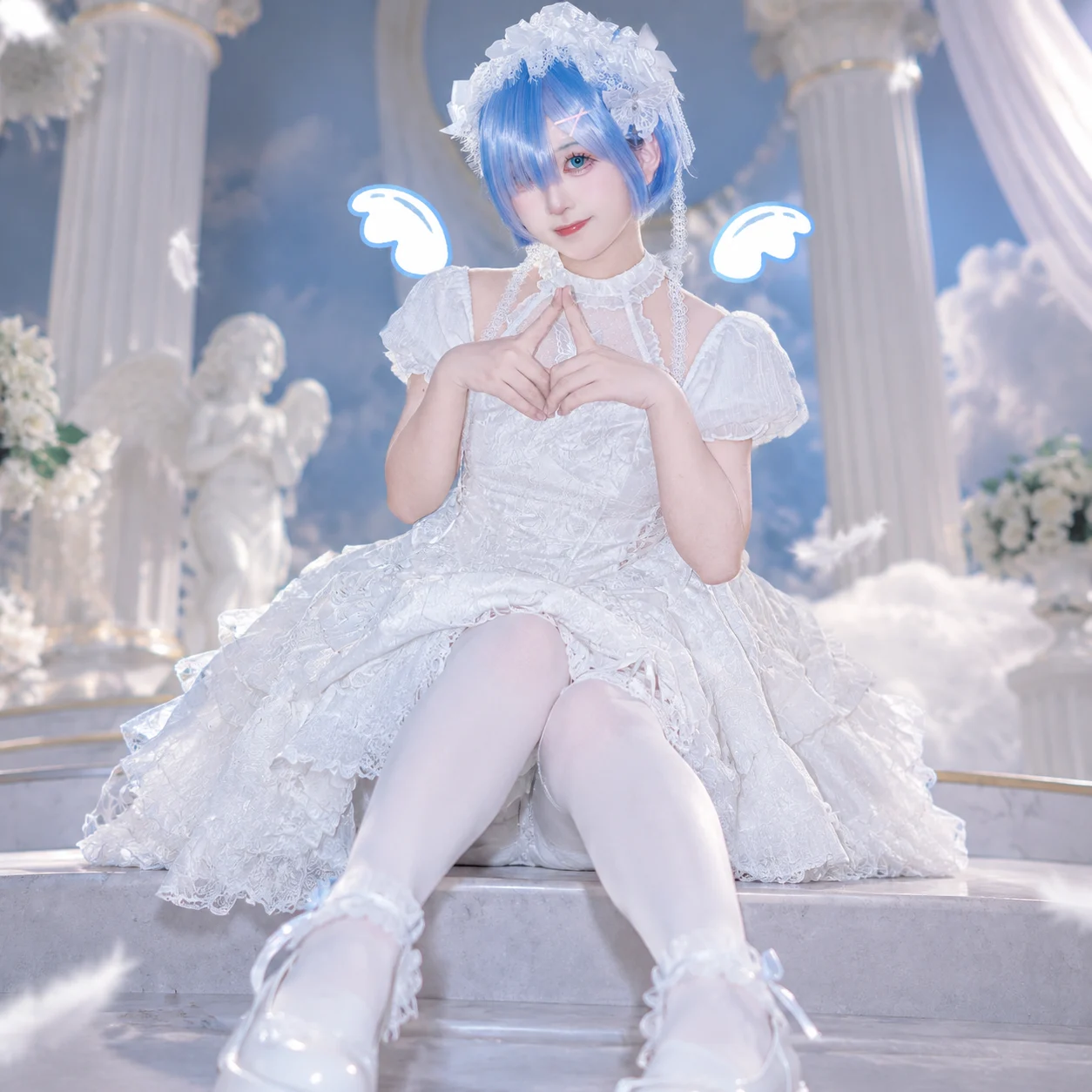
Complete prompt
Shot: With the above picture as the sole reference for the character, strictly retain the model's identity, face, posture, clothing, and the original character perspective. Use the [35mm/50/mm85mm] portrait photography style, [level view/low view/angle view] studio effect. The virtual camera distance from the character is [4] meters. This parameter is only used to match the perspective and spatial sense of the new background and must not change the character's facial perspective, the size of the character, the composition, or the original shooting angle. Scene: Only replace the surrounding environment of the character with the professional Cosplay portrait studio set-up of "Angel Studio". The distance between the character and the background is [1.2] meters. The background uses a close-range theme background board, seamless background, physical local props, and matching theme ground materials; the background must conform to the true scale and perspective of this distance. The background blur intensity is obvious, the character is clear, and the background naturally recedes. All lights, diffusers, light stands, reflectors, cables, and photography equipment must be outside the frame. Character: Strictly lock the identity and appearance of the model in the uploaded picture. Retain the original face, facial features, skin color, hairstyle, makeup, expression, body proportion, posture, gestures, clothing, accessories, Cosplay styling, props, and all visible details; do not change, do not redraw, do not beautify, do not replace the character. Action: Completely retain the character's action, gaze, body orientation, gestures, clothing folds, and prop positions in the uploaded picture. Only allow the background, environment reflection, ground contact shadow, and light of the new theme studio to naturally match the character. Lighting: The large softbox at 45 degrees to the right front is the main light, the left front has low-intensity soft fill light, the left rear has a restrained contour light. All lights are outside the frame. Fixed [neutral white 5200K]; the theme color only acts on the background, ground, and weak environmental reflection, and does not contaminate the skin color. The background exposure is about [0.5] stops lower than the character, the ground contact shadow is soft and consistent with the direction of the main light on the right front. Negative warning words: Change the character's composition, change the character's size, change the character's position, change the facial perspective, change the original shooting position, incorrect background perspective, incorrect background distance; visible photography lights, diffusers, octagonal covers, light stands, reflectors, cables, photography equipment; empty studio, huge stage, extremely distant background, outdoor real scene, theme elements blocking the character; change the character's identity, face, facial features, skin color, hairstyle, makeup, expression, posture, gestures, clothing, accessories, Cosplay styling, props, or body proportion; additional characters, additional limbs, deformed fingers, character edge gridding effect, light direction conflict, inconsistent ground projection, overexposed face, blurred face, watermark, text, Logo.
Results vary by model and settings. Keep the subject and composition, then adjust lighting, materials or background for your own project.
How to customize this prompt in the workspace
- 01
Replace the main subject first
Keep the framing, camera angle, and lighting structure intact while swapping the subject or product description for your own project.
- 02
Lock structure with reference images
Need consistent product geometry, packaging silhouette, or character features? Upload 1 or more reference images with a supported model.
- 03
Refine details via multi-turn editing
Generate a base image first, then use conversational editing to adjust background color, surface reflections, or mood one step at a time.



