
Playful Late Night Street Snapshot
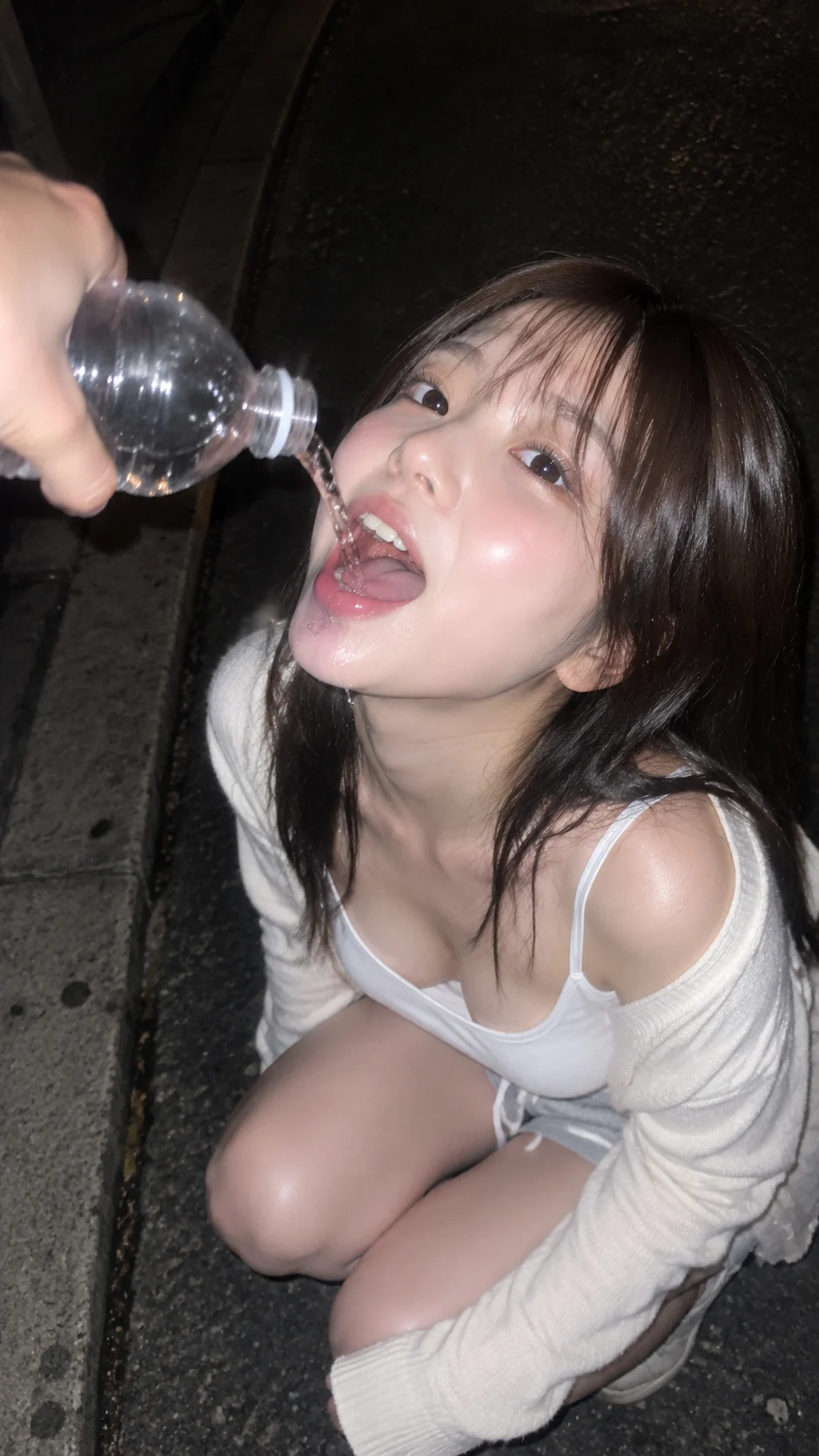
Shot: A completely fictional 20-year-old Japanese woman, captured naturally and candidly on an iPhone, in a vertical 9:16 format with a close-up high-angle composition. Strong dire…
Complete prompt
Shot: A completely fictional 20-year-old Japanese woman, captured naturally and candidly on an iPhone, in a vertical 9:16 format with a close-up high-angle composition. Strong direct smartphone flash illuminates the subject clearly, preserving slight motion blur and an unedited sense of spontaneity. Setting: A quiet urban street at night, with a sidewalk and dark, rough asphalt pavement as the background. The surroundings are largely shrouded in shadow, lit only by the phone's flash, highlighting the person and their hand extending into the frame. Subject: Deep brown hair, an extremely cute round face resembling a raccoon, soft plump cheeks, gentle round eyes, visible pores, and natural skin tone variations. Expression is playful and relaxed—like being suddenly snapped by a friend during a late-night walk. Action: She crouches low on the sidewalk, lifting her face and opening her mouth; a friend's hand naturally extends from the upper left corner of the frame, holding a transparent plastic bottle, pouring water into her mouth. Only this hand and bottle appear—fingers relaxed in natural grip, with clear action dynamics creating an spontaneous, mischievous moment. Lighting and Color: White tank top, light beige cardigan, pale gray shorts; clothing retains natural folds and soft fabric texture. High-contrast direct highlights on the face, hair, bottle, and water flow create realistic specular reflections, while the background remains dark. Realistic photography, unedited iPhone aesthetic, natural skin tone, slight noise, and motion blur. Negative Prompts: Identity drift, incorrect facial proportions, plastic skin, excessive skin smoothing, over-retouching, deformed fingers, extra arms, incorrect bottle-holding posture, missing bottle or water flow, obvious CGI effect, overly dramatic lighting, unnaturally crisp studio background, low resolution, blurred subject, text, logos, watermarks.
Results vary by model and settings. Keep the subject and composition, then adjust lighting, materials or background for your own project.
How to customize this prompt in the workspace
- 01
Replace the main subject first
Keep the framing, camera angle, and lighting structure intact while swapping the subject or product description for your own project.
- 02
Lock structure with reference images
Need consistent product geometry, packaging silhouette, or character features? Upload 1 or more reference images with a supported model.
- 03
Refine details via multi-turn editing
Generate a base image first, then use conversational editing to adjust background color, surface reflections, or mood one step at a time.



