
Two Tone Whimsical Vinyl Toy
Camera: Front-facing product photography with the subject centered and fully visible against a pure white background. Use generous minimal negative space, an oversized head, and a …
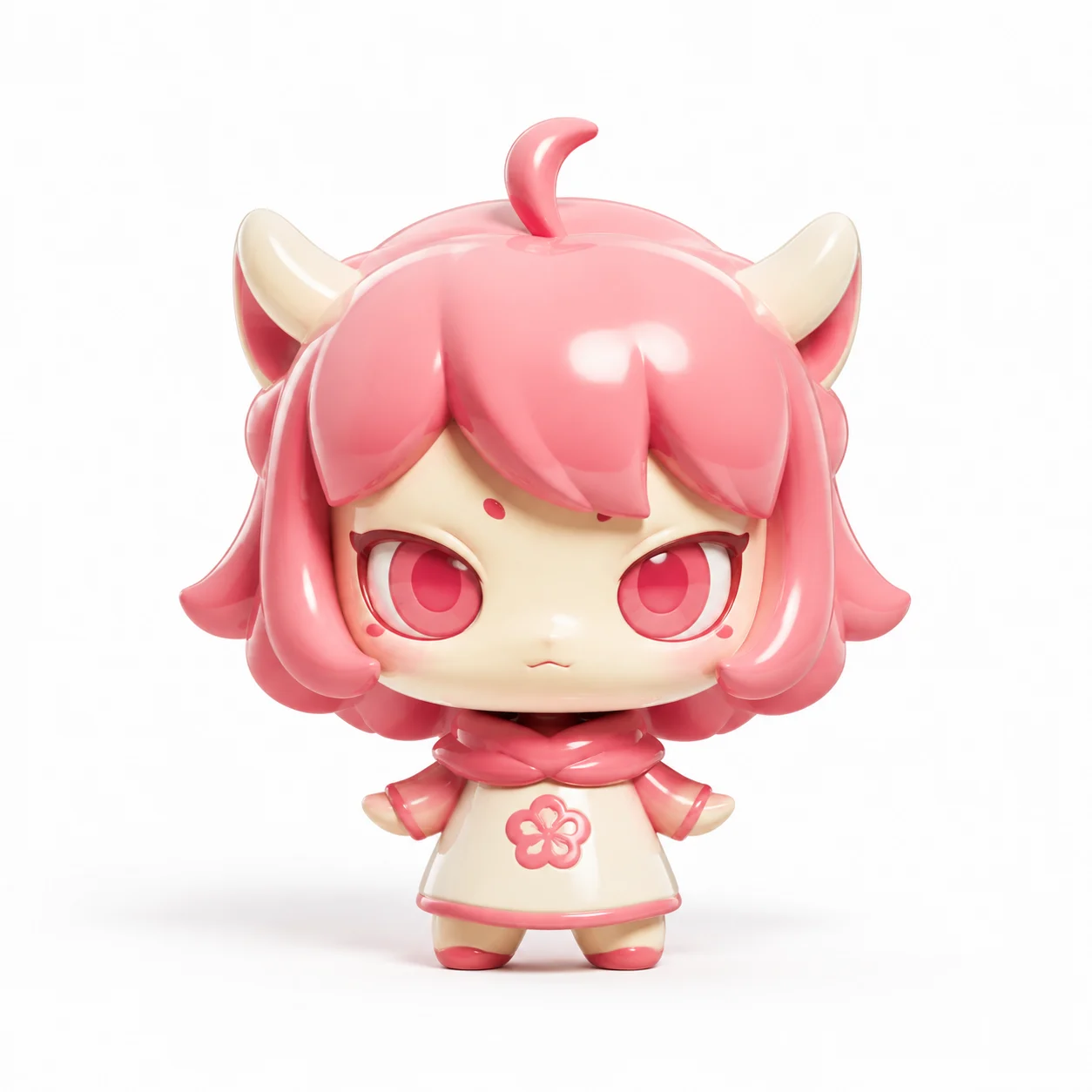
Complete prompt
Camera: Front-facing product photography with the subject centered and fully visible against a pure white background. Use generous minimal negative space, an oversized head, and a compact body with a stable symmetrical display angle. Scene: A seamless white studio background and clean white ground, with only a soft contact shadow beneath the toy. No extra props, packaging, or text. Subject: Transform the reference subject into a whimsical 3D vinyl toy while preserving its core identity, recognizable silhouette, and signature details. Use color 1 and color 2 as the two dominant tones, with clear, saturated, harmonious color blocking. Action: Face the camera directly in a simple stable collectible-figure pose. Use a very large head and reduced body proportions, rounded contours, cute stylization, and simple yet distinctive sculpted details. Lighting / Color: Toy-like high-gloss vinyl surface with clean soft studio lighting, rounded highlights, refined reflections, and gentle shadows. Clean Cinema 4D Octane Render output, smooth edges, polished material quality, playful and charming designer-toy appeal. Negative Prompt: Color drift, missing color 1 or color 2, lost identity features, normal head-to-body ratio, realistic human proportions, rough modeling, low-poly geometry, matte material, cheap plastic appearance, hard shadows, complex background, text, logos, watermarks, blur, low resolution, malformed limbs.
Results vary by model and settings. Keep the subject and composition, then adjust lighting, materials or background for your own project.
How to customize this prompt in the workspace
- 01
Replace the main subject first
Keep the framing, camera angle, and lighting structure intact while swapping the subject or product description for your own project.
- 02
Lock structure with reference images
Need consistent product geometry, packaging silhouette, or character features? Upload 1 or more reference images with a supported model.
- 03
Refine details via multi-turn editing
Generate a base image first, then use conversational editing to adjust background color, surface reflections, or mood one step at a time.



