
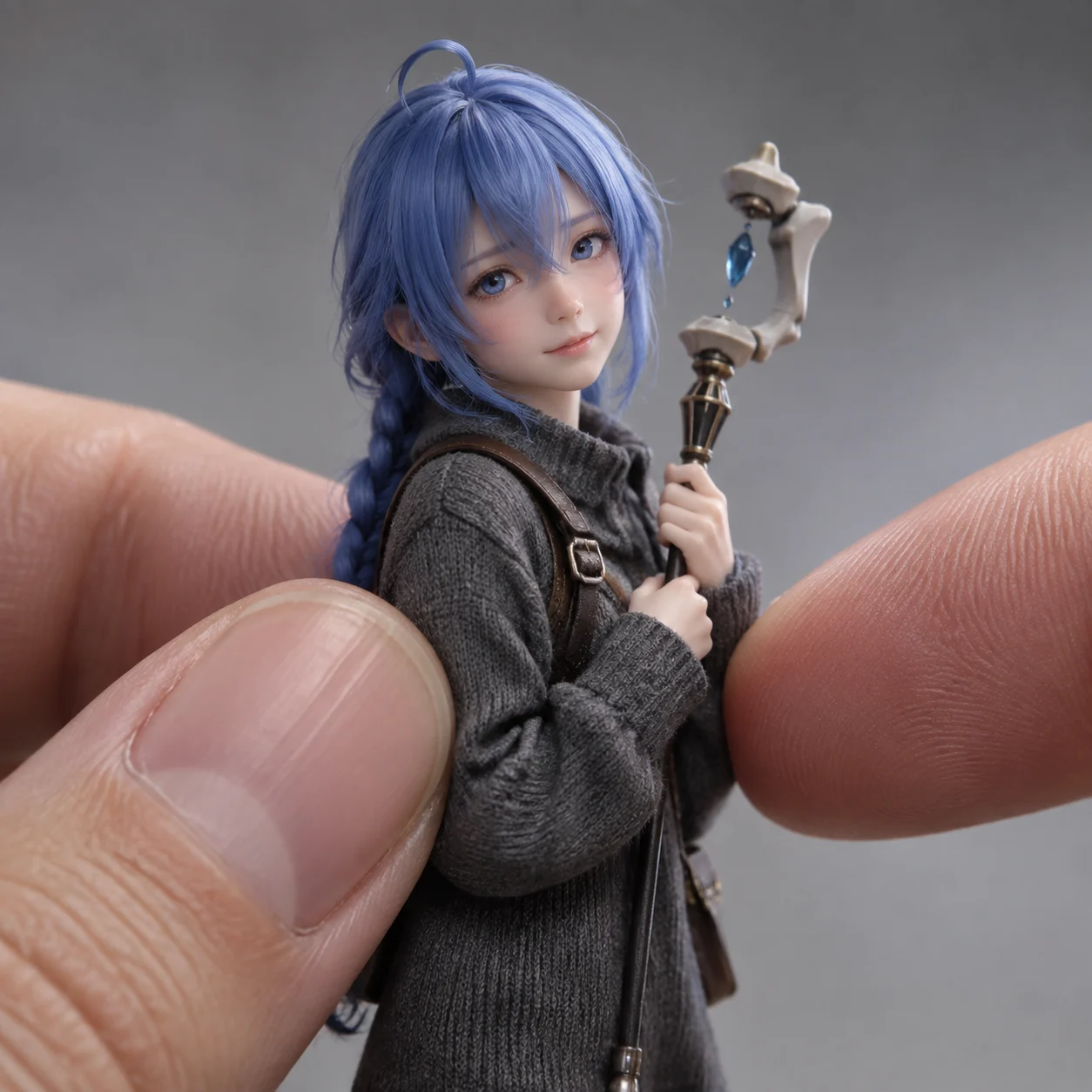
Miniature Character on a Fingertip
Camera: Surreal macro photograph, centered subject framed by a real thumb and index finger on both sides, cropped from the character’s mid-torso upward. 100mm macro lens, f/2.8, IS…
Complete prompt
Camera: Surreal macro photograph, centered subject framed by a real thumb and index finger on both sides, cropped from the character’s mid-torso upward. 100mm macro lens, f/2.8, ISO 100, 1/160s, shallow depth of field, eyes in perfect focus. Scene: Clean studio setup with a soft gray gradient background and subtle bokeh, emphasizing the scale relationship between the fingers and the tiny character. Subject: A tiny [CHARACTER], approximately 10–12 cm tall, with realistic human proportions, perspective, and volume, never toy-like. If based on a real person, respectfully preserve recognizable likeness. Unless identity requires otherwise, the character wears simple dark-gray textured knit clothing and holds or wears [ACCESSORY]. Action: The character gently stands on a fingertip or is carefully supported between the real thumb and index finger; naturally touching the thumb while zooming and holding [ACCESSORY]. Balanced, relaxed pose with accurate contact shadows where skin touches the character. Lighting / Color: 45-degree softbox key light with a faint distant rim light, no harsh glare. Visible micro-texture in skin, fabric, hair, and nails. Clean realistic hand anatomy with exactly five fingers, natural pores, believable nails, soft highlights, and gentle shadows. Negative Prompt: no doll, statue, or cartoon-toy proportions; no altered identity or lost real-person likeness; no extra or fused fingers, malformed joints, incorrect contact relationship, floating effect, distorted scale, plastic skin, excessive smoothing, extreme wide-angle distortion, harsh glare, blur, low resolution, or watermark.
Results vary by model and settings. Keep the subject and composition, then adjust lighting, materials or background for your own project.
How to customize this prompt in the workspace
- 01
Replace the main subject first
Keep the framing, camera angle, and lighting structure intact while swapping the subject or product description for your own project.
- 02
Lock structure with reference images
Need consistent product geometry, packaging silhouette, or character features? Upload 1 or more reference images with a supported model.
- 03
Refine details via multi-turn editing
Generate a base image first, then use conversational editing to adjust background color, surface reflections, or mood one step at a time.



