
Nostalgic Portrait on a Digital Camera Screen
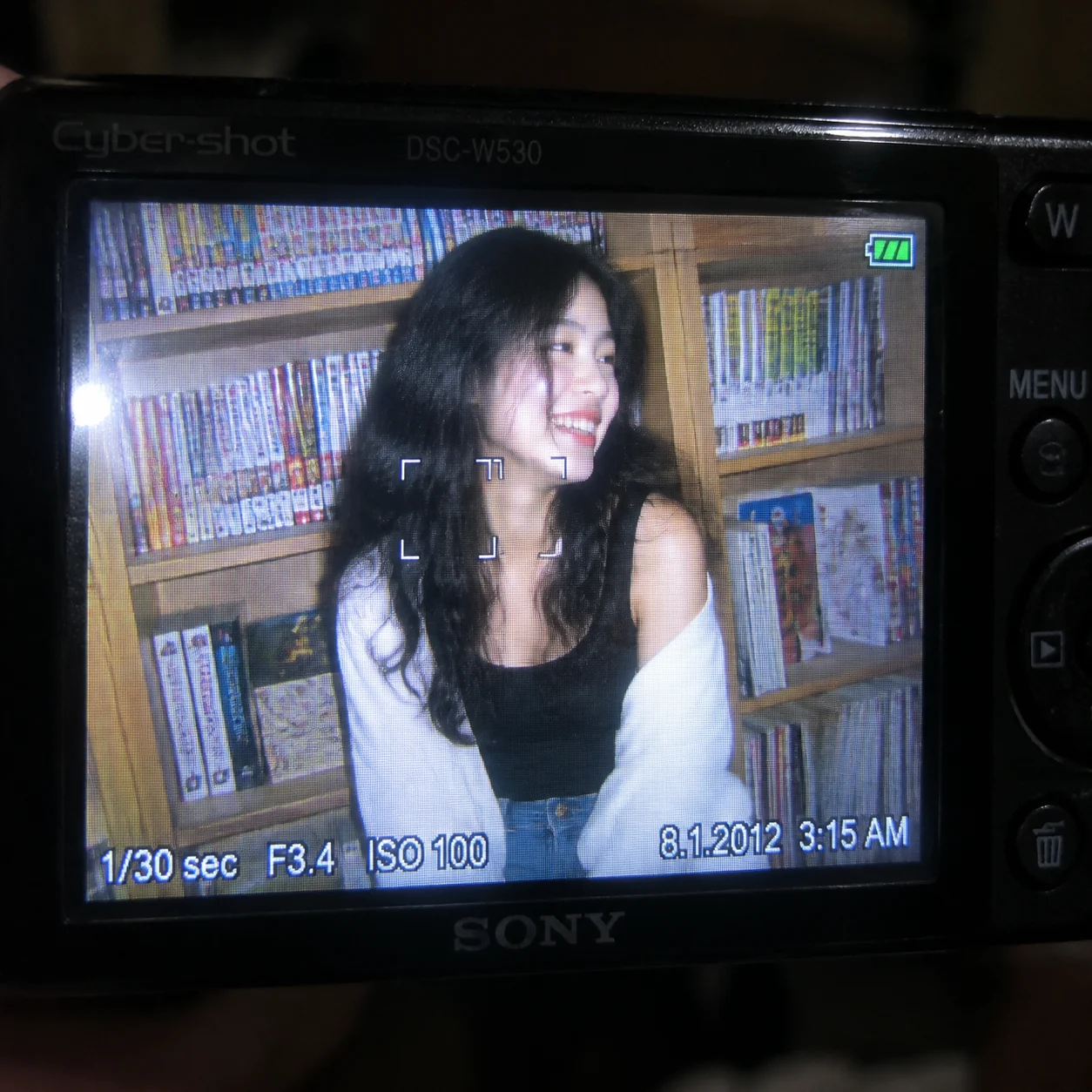
Camera A realistic extreme close-up of the rear of a small Sony Cyber-shot-style CCD digital camera in a dim interior. The brightly glowing LCD fills most of the composition, with …
Complete prompt
Camera A realistic extreme close-up of the rear of a small Sony Cyber-shot-style CCD digital camera in a dim interior. The brightly glowing LCD fills most of the composition, with only portions of the black camera body and controls visible around it. Focus on the displayed image and pixel surface. Let the darkness outside the screen fall naturally into soft blur, evoking an early-2010s compact digital-camera aesthetic. Scene Inside the LCD is an early-2010s indoor snapshot. A wooden bookcase behind the subject is densely filled with colorful comics and magazines. Book spines, paper, and wood grain remain recognizable, but strong direct flash flattens the background shadows and softens the colors. Preserve the LCD’s fine pixel grid, slight surface reflection, subtle angle-dependent brightness, and compressed digital texture. Subject The displayed photograph features a young East Asian woman with long, curly jet-black hair. She wears a black T-shirt with wide shoulder straps, a loose white cardigan casually slipping over both shoulders, and faded blue jeans. Preserve believable skin, individual hair strands, knit fabric, and denim detail while retaining the limited dynamic range and light digital noise of an early CCD sensor. Action The LCD freezes the instant she turns her face slightly to the side and laughs naturally. Her head is gently rotated, her smile opens spontaneously, and one section of long hair falls beside her cheek. Keep mild motion blur only along the hair tips and movement edges while leaving her face recognizable. Overlay the camera interface cleanly around the LCD edges without covering her face. The timestamp must read exactly “8.1.2012 3:15 AM”. Exposure data must read exactly “1/30 sec F3.4 ISO 100”. Include a clear focus indicator and a small green battery icon in one corner. Every character must be complete, correctly oriented, legible, and free of garbling or mirroring. Lighting / Color Within the displayed photograph, strong direct flash from the compact camera creates bright highlights on her face, white cardigan, and hair while flattening the background shadows. Use slightly faded digital color, visible CCD noise, mild motion softness, limited highlight latitude, and compressed image texture. The LCD emits a cool white glow with a faint edge flicker, while the surrounding room remains dark. Negative Prompt Pencil sketch, hand-drawn image, missing camera screen, camera body completely absent, LCD image spilling beyond the screen, modern mirrorless-camera interface, film camera, woman appearing outside the LCD, blurry face, incorrect hairstyle, missing black wide-strap T-shirt, missing white cardigan, missing faded jeans, missing bookcase, missing comics or magazines, soft studio lighting, missing direct-flash look, excessively deep background shadows, overly clean modern digital quality, missing pixel structure, missing screen reflection, incorrect or garbled timestamp, missing “8.1.2012 3:15 AM”, incorrect exposure data, missing “1/30 sec F3.4 ISO 100”, missing focus indicator, missing green battery icon, mirrored text, severe motion blur, low resolution, watermark, logo.
Results vary by model and settings. Keep the subject and composition, then adjust lighting, materials or background for your own project.
How to customize this prompt in the workspace
- 01
Replace the main subject first
Keep the framing, camera angle, and lighting structure intact while swapping the subject or product description for your own project.
- 02
Lock structure with reference images
Need consistent product geometry, packaging silhouette, or character features? Upload 1 or more reference images with a supported model.
- 03
Refine details via multi-turn editing
Generate a base image first, then use conversational editing to adjust background color, surface reflections, or mood one step at a time.



