
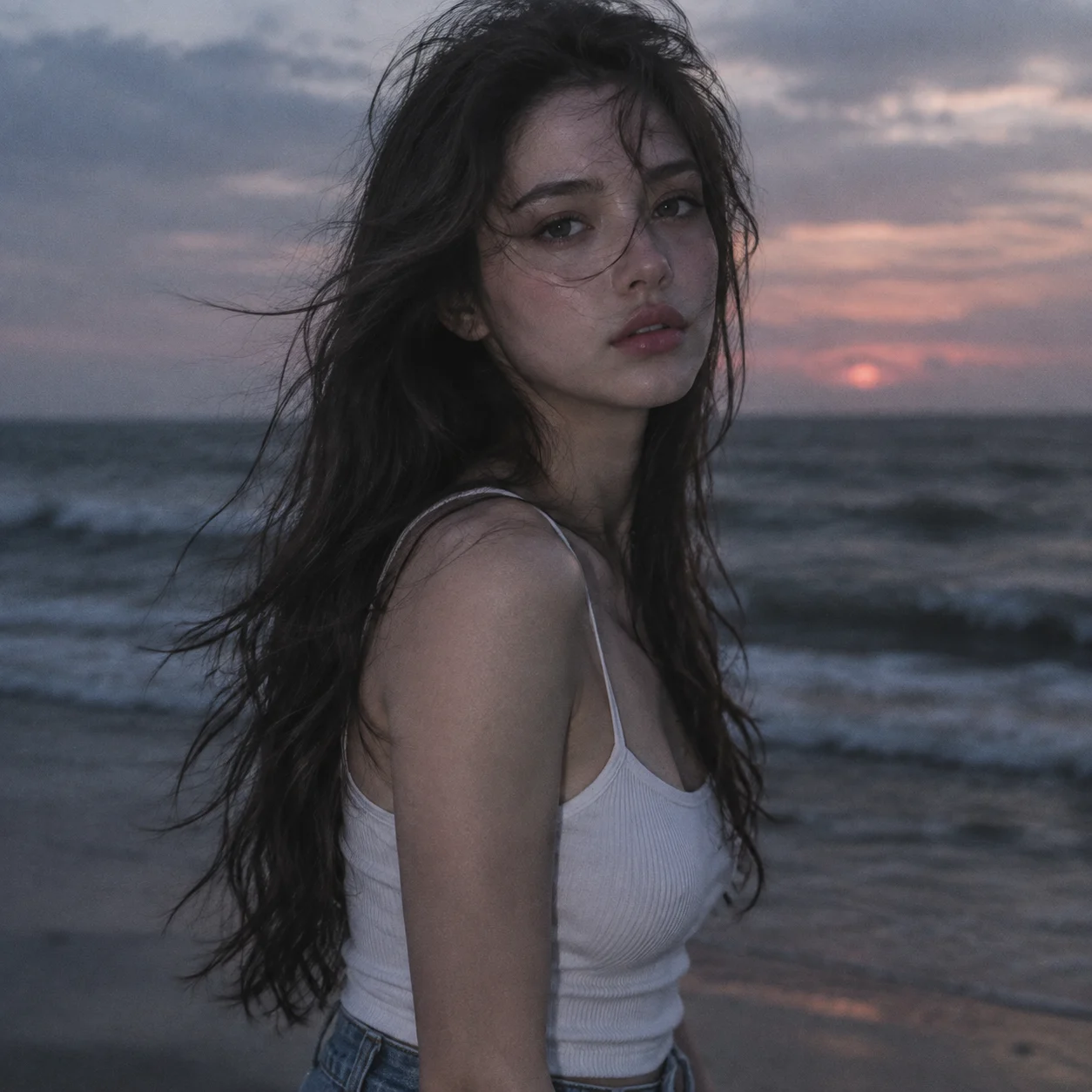
Melancholic Portrait in the Evening Sea Breeze
Camera Create a photorealistic cinematic close-up portrait with the face in clear focus and shallow depth of field. Keep the ocean and sky softly blurred but recognizable. Preserve…
Complete prompt
Camera Create a photorealistic cinematic close-up portrait with the face in clear focus and shallow depth of field. Keep the ocean and sky softly blurred but recognizable. Preserve realistic photographic detail with subtle film grain. Scene An evening beach at dusk, with dark waves and a brooding sky in the background. The sun has faded behind the clouds, leaving a hazy horizon in dusty rose, blue-gray, and pale lavender. The sea breeze adds a quiet, melancholic mood. Subject A young woman with naturally flushed skin and realistic fine texture, including a subtle grain-like quality. She wears a white camisole and jeans. Her black hair is tousled by the sea breeze, with a few strands drifting across her face. Action Capture her standing on the beach in an intimate close-up. Her expression is quiet, melancholy, and emotionally thoughtful. Keep her posture natural and unposed; her gaze may fall slightly away from the camera, as if absorbed in the dusk and sea air. Lighting / Color Use natural remaining dusk light to softly illuminate her face and hair, with no harsh lighting. Apply a low-saturation, cool cinematic film grade in dusty rose, blue-gray, and pale lavender, with soft contrast, a faint atmospheric haze, and subtle grain. Preserve her naturally flushed skin tone and clear facial details. Negative Prompt Bright oversaturated colors, intense warm-orange sunset, harsh flash, excessive contrast, dense haze obscuring the face, hair completely covering facial features, plastic-looking skin, excessive smoothing, obvious AI appearance, cartoon, illustration, CGI, 3D render, blurry subject, low resolution, text, watermark.
Results vary by model and settings. Keep the subject and composition, then adjust lighting, materials or background for your own project.
How to customize this prompt in the workspace
- 01
Replace the main subject first
Keep the framing, camera angle, and lighting structure intact while swapping the subject or product description for your own project.
- 02
Lock structure with reference images
Need consistent product geometry, packaging silhouette, or character features? Upload 1 or more reference images with a supported model.
- 03
Refine details via multi-turn editing
Generate a base image first, then use conversational editing to adjust background color, surface reflections, or mood one step at a time.



